
Blog Breadcrumbs Plugin
Installation Steps
Step 1: Code injection footer
Place the following code Javascript in the Code Injection section.
Pages > Custom Code > Code Injection > Footer
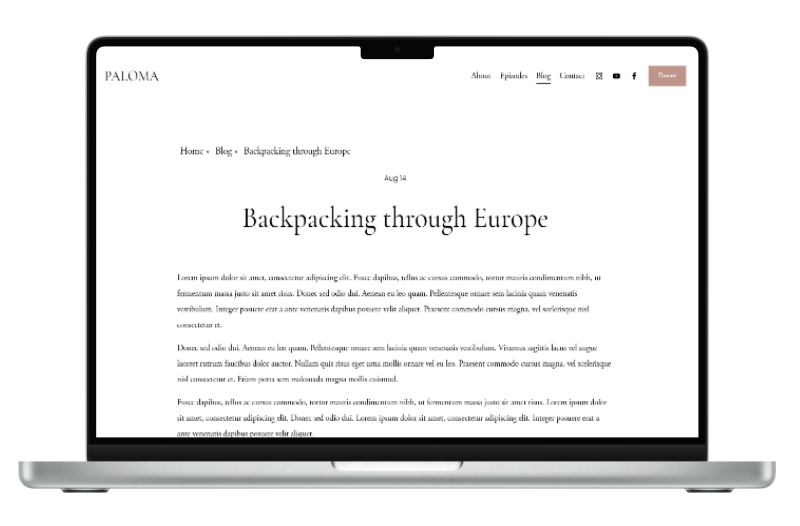
Next steps - Blog Breadcrumb customisation options
Step 2: Customise the Blog Breadcrumb
Adjust the text in your random letter effect using the following options:
Top Margin – Adds spacing above the breadcrumb.
Bottom Margin – Adds spacing below the breadcrumb.
Breadcrumb Symbol - Adds a symbol which separates the individual breadcrumb links e.g. ‘>’, ‘|’ etc.
Font Size – Set the size of the letters. e.g. 2.5rem will make the text large and prominent.
Text Transform – Change the capitalization of your letters. Options: uppercase, lowercase, or capitalize.
Font Colour – Choose the colour of your random letter text. e.g. Hex Code: #fec110 = yellow
These settings allow you to fine-tune the appearance of the Blog Breadcrumb, ensuring it looks neat, well-spaced, and visually appealing on your page.
Margin Top
Margin Bottom
Breadcrumb Separation Symbol
e.g |, /, \, >, >>, »
Font Size
Text Transform
Font Color
[To use the default Squarespace colour do not change.]
Step 3: Copy the Blog Breadcrumb CSS Code
Copy the generated CSS code for your animated counter.
Pages > Custom Code > Custom CSS
/*************************************************************************/
/***** Blog Breadcrumb Navigation Squarespace 7.1 **********/
/***** Copyright IghCreations [https://ighcreations.com] ******/
/************************************************************************/
.blogcrumb {
margin-top: 1vw; /* Adds spacing above the breadcrumb */
margin-bottom: 1vw; /* Adds spacing below the breadcrumb */
text-align: left; /* Aligns breadcrumb text to the left */
flex-direction: row; /* Ensures breadcrumb items display horizontally (if flex is applied) */
align-self: flex-start; /* Aligns breadcrumb container to the start of its parent flex container */
}
/* Adds a separator (») after each breadcrumb link except the last one */
.blogcrumb a:not(:last-child):after {
content: "»"; /* Unicode for » symbol */
margin: 0 6px; /* Adds spacing on left and right of separator */
}
/* Styling for breadcrumb links */
.blogcrumb a {
font-size: 1rem; /* Sets font size */
text-transform: capitalize !important; /* Capitalizes first letter of each word (options: uppercase | lowercase | capitalize) */
color: var(--tweak-blog-item-meta-color) !important; /* Uses theme variable for consistent blog meta color */
}
/***** End Blog Breadcrumb Navigation Squarespace 7.1 *********/