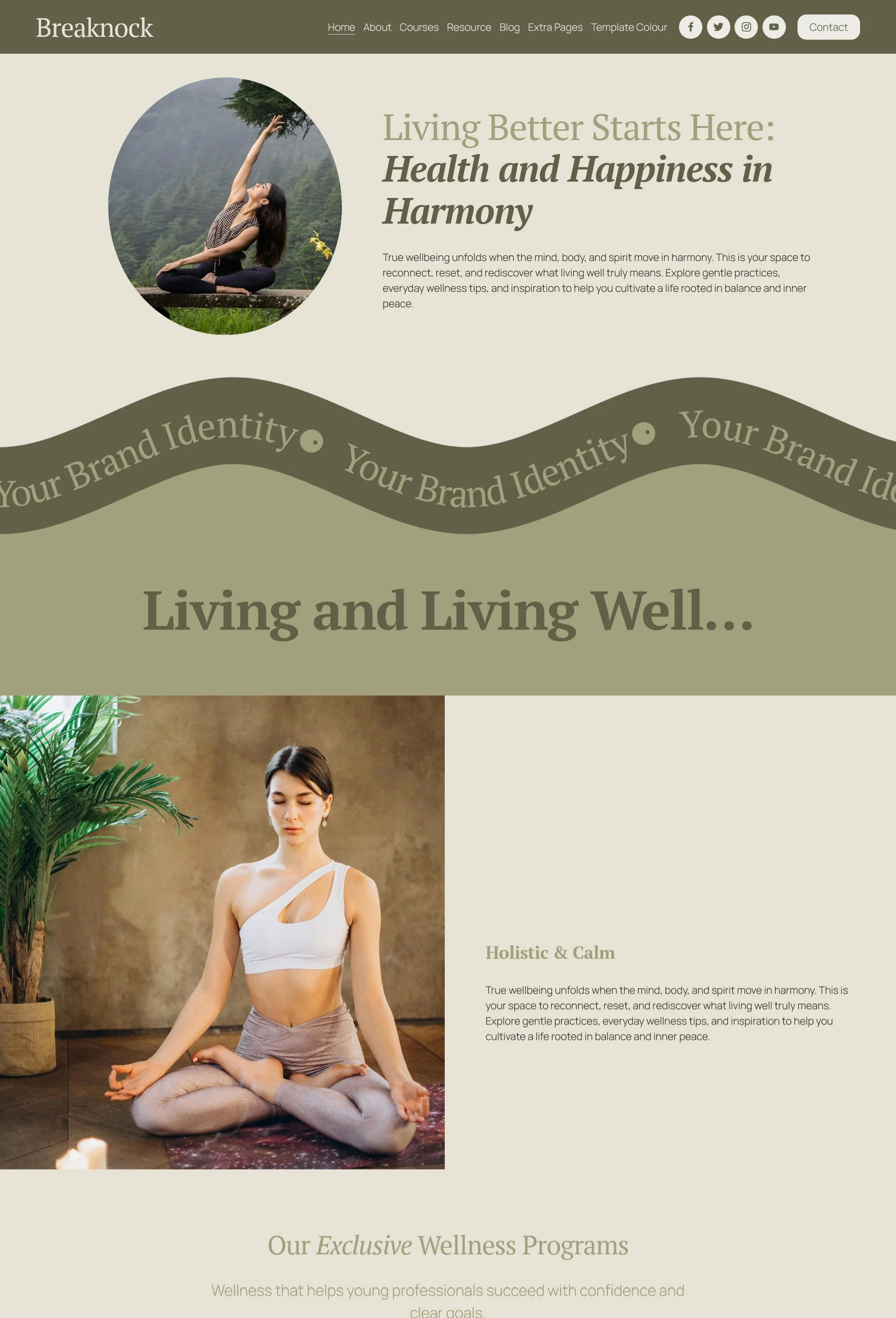
 Image 1 of 1
This is not a downloadable Squarespace template file. Your purchase is delivered as a pre-designed Squarespace website through a Squarespace Contributor invitation and ownership-transfer process.
A Premium Squarespace Template for Bloggers & Podcasters, Course Creators, Health & Wellness.
How Your Template Installation Works
Starting fresh?
We’ll set up a brand-new Squarespace website for you, install all demo content, and transfer full ownership to your Squarespace account which typically within 24 hours.
Already have a Squarespace site?
If you’re working with an existing, paid Squarespace website, we can add the full demo layout and pages directly into your current account. This service is completed within 48 hours for a small additional fee (details available at checkout). As part of the process, we’ll safely hide your current content behind the theme “Under Construction” cover page so nothing is lost or publicly visible during setup.
Template Information:
-
Bloggers & Podcasters
Course Creators
Health & Wellness
-
11 professionally designed pages plus 5 premium add-on pages
12 month Squarespace free trial
25% off annual Email Campaigns, Member Areas, and Acuity Scheduling subscriptions.
Free domain for the first year with any Annual Plan.
No code needed
Desktop + mobile optimized design
Customizable Canva graphics
Step by step video tutorials
SEO checklist
Friendly email support
-
Squarespace subscription. You can view Squarespace pricing here.
Template customisation, content upload, Search engine optimization.
Domain connection and launch.
-
Breadnock is designed using Squarespace 7.1 with Fluid Engine, the latest and most flexible version of the platform. The template is compatible with any Squarespace plan from Core and above. You can review Squarespace’s current pricing options on their website.
Looking for some help with template customisation? Take your online presence to the next level with our Customisation Support Service.
-
This pre-designed template will be delivered directly to your Squarespace account, ready for you to make your own.
At checkout, simply provide your email address. You’ll receive a PDF guide with step-by-step instructions for using and customizing your new Squarespace template.
Within 24 hours, you’ll receive a Contributor invitation please accept it when it arrives.
After that, we’ll transfer full ownership of the template to you and ensure everything is properly set up.
Once transferred, you’re free to customize your new website and launch it whenever you're ready!

Contact Information
The template is installed onto your existing website. The new styles will overwrite your current site styles, but existing pages and content will be preserved. This manual process takes about 48 hours and does not include any content customisation.
Optional Services
This is our template styling service — a simple, stress-free way to turn your vision into a polished, professional website.
Due to the digital nature of this product and the immediate access provided upon purchase, all sales are final. We do not offer refunds, exchanges, or cancellations. By completing your purchase, you acknowledge that you have read, understood, and agreed to these terms.
You might be thinking, “Is it simple to update and make my own?” Absolutely!

Standout Features of the BREAKNOCK Template
-
Home, About, Courses, Resources, Blog, Contact, Thank You, Appointments, 404, Coming Soon, and Privacy Policy everything you need to launch with confidence. Plus add-on pages: Sales, IG Links, Shop, Podcast and Courses.
-
A curated collection of layouts crafted specifically for course creators, bloggers & podcasters, art & photography, design, e-commerce, food & drink and other forward-thinking businesses who want to present their work with clarity and sophistication.
-
Clean, contemporary aesthetics that are effortless to personalise with your own brand fonts, colours, and content.
-
Step-by-step video tutorials and in-depth resources guide you through customising every part of your site no tech experience required.
-
Courses, blog, and appointment features are already integrated and simple to adjust to suit your business needs.
-
Access detailed tutorials and documentation to help you confidently navigate Squarespace.
-
If you need guidance or clarification, our support team is here to help you understand the tutorials and customisation options.
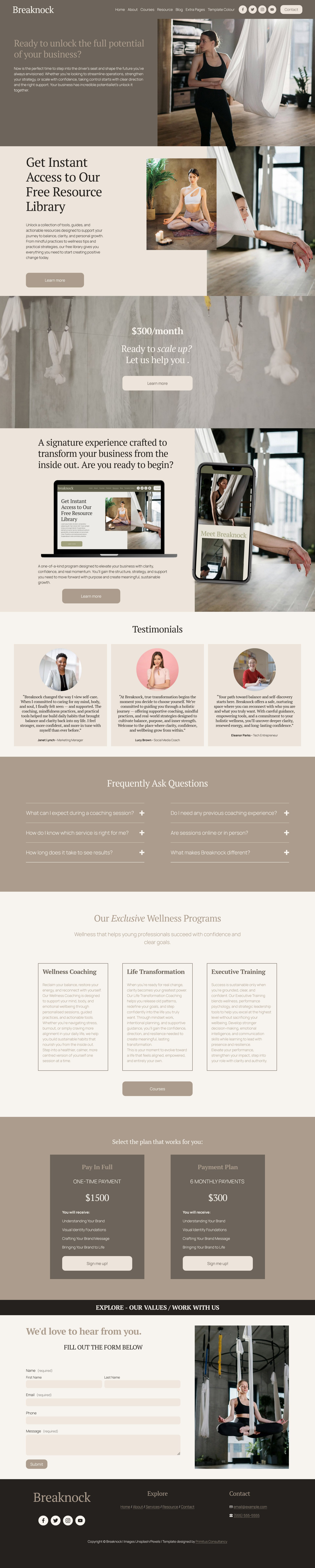
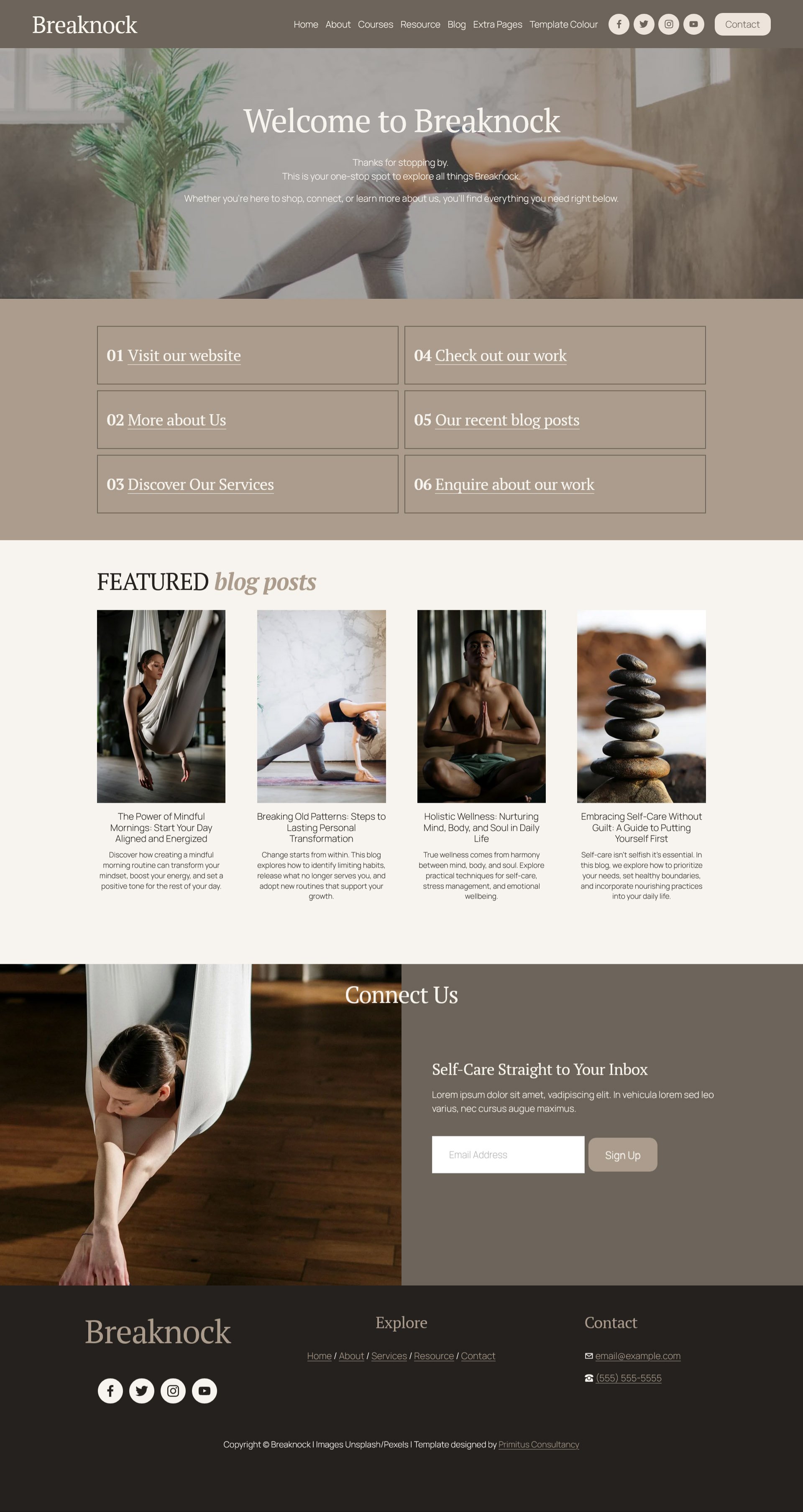
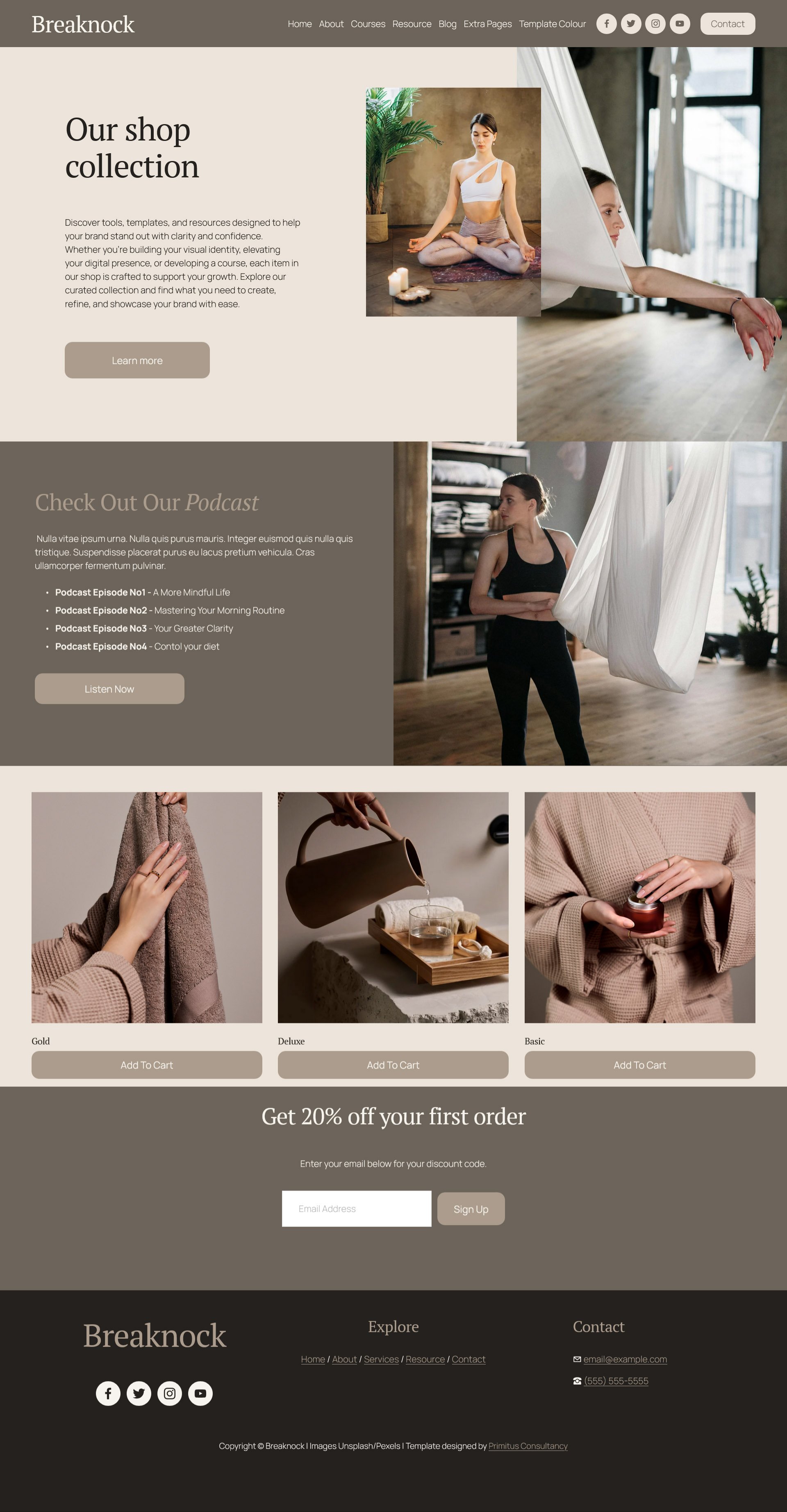
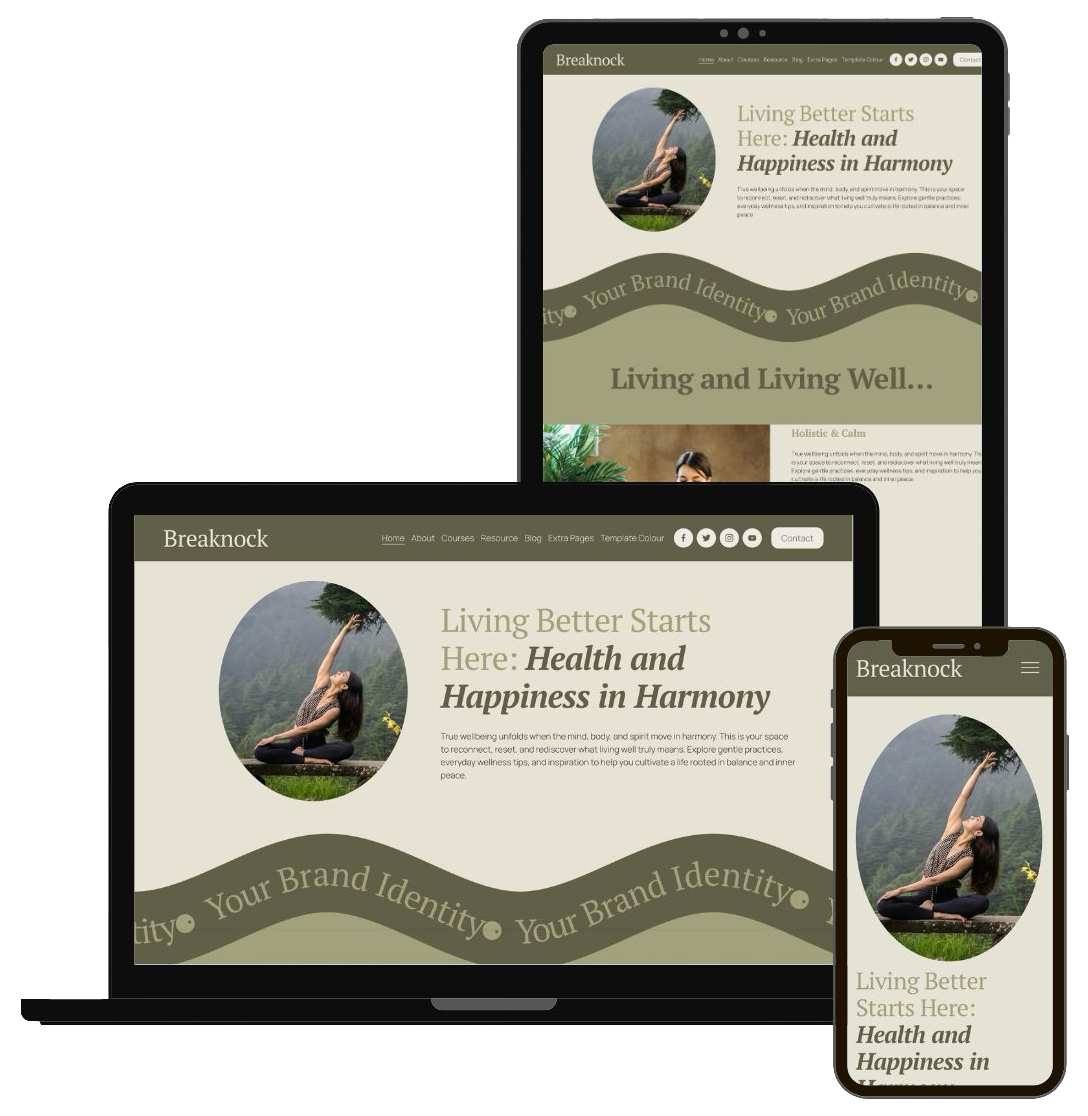
Seamless Design That Turns Visitors into Clients
Make it easy for people to browse your services, view your work, read your blog, and book appointments or buy products on any device.
This responsive website template adjusts cleanly to different screen sizes, so your key pages: Home, About, Services, Contact, stay organised and straightforward to use. Text remains readable, images resize smoothly, and buttons are simple to click or tap.
Visitors can move quickly from discovering who you are to understanding what you offer and how to work with you, which encourages longer visits, more enquiries and a more reliable online presence for your business.
Build Your Responsive Site with Confidence
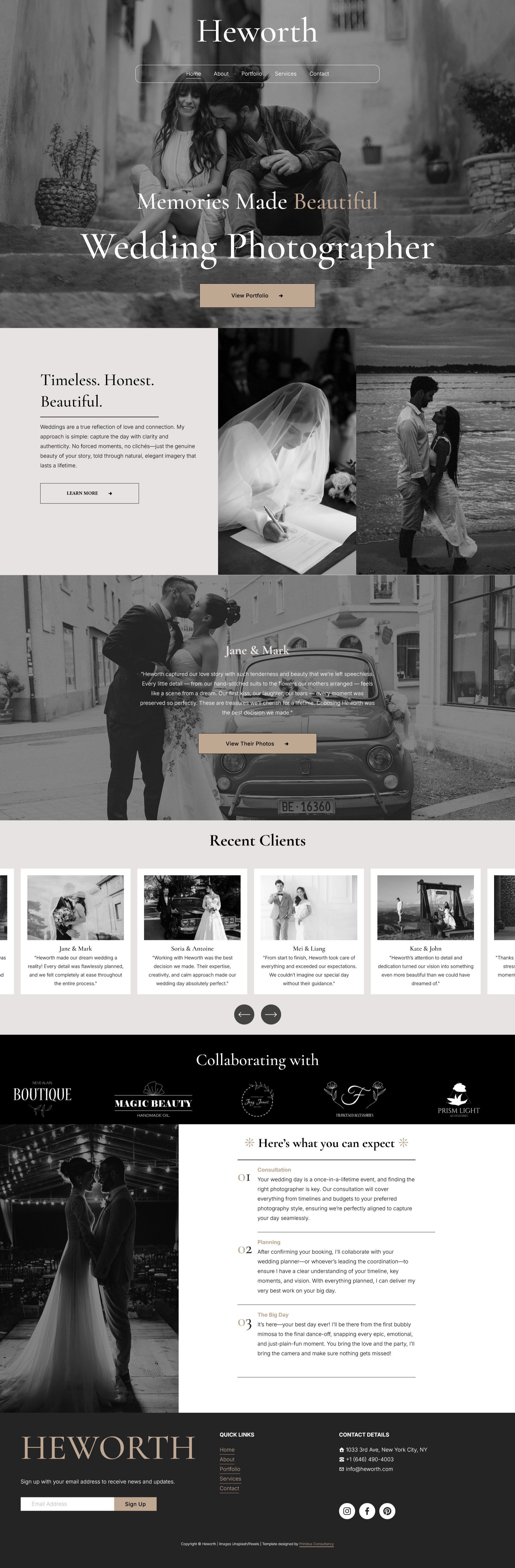
Shop the Heworth template and go live this week.

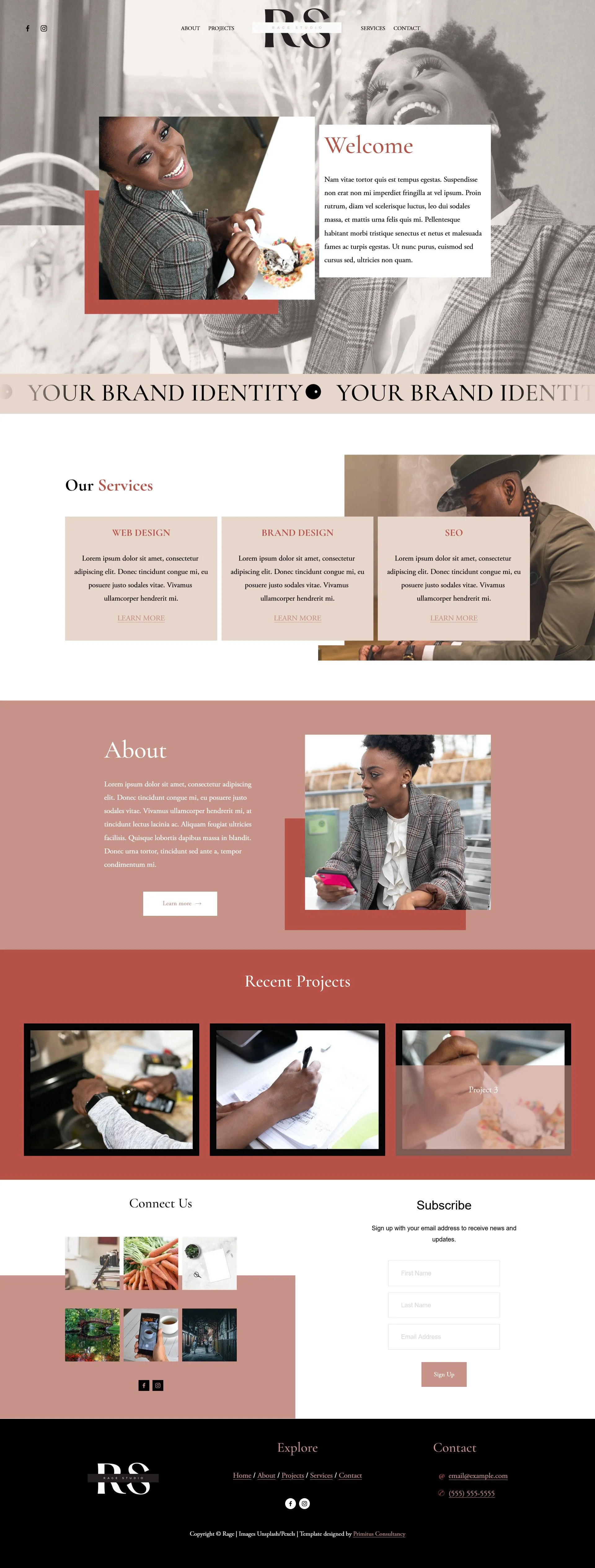
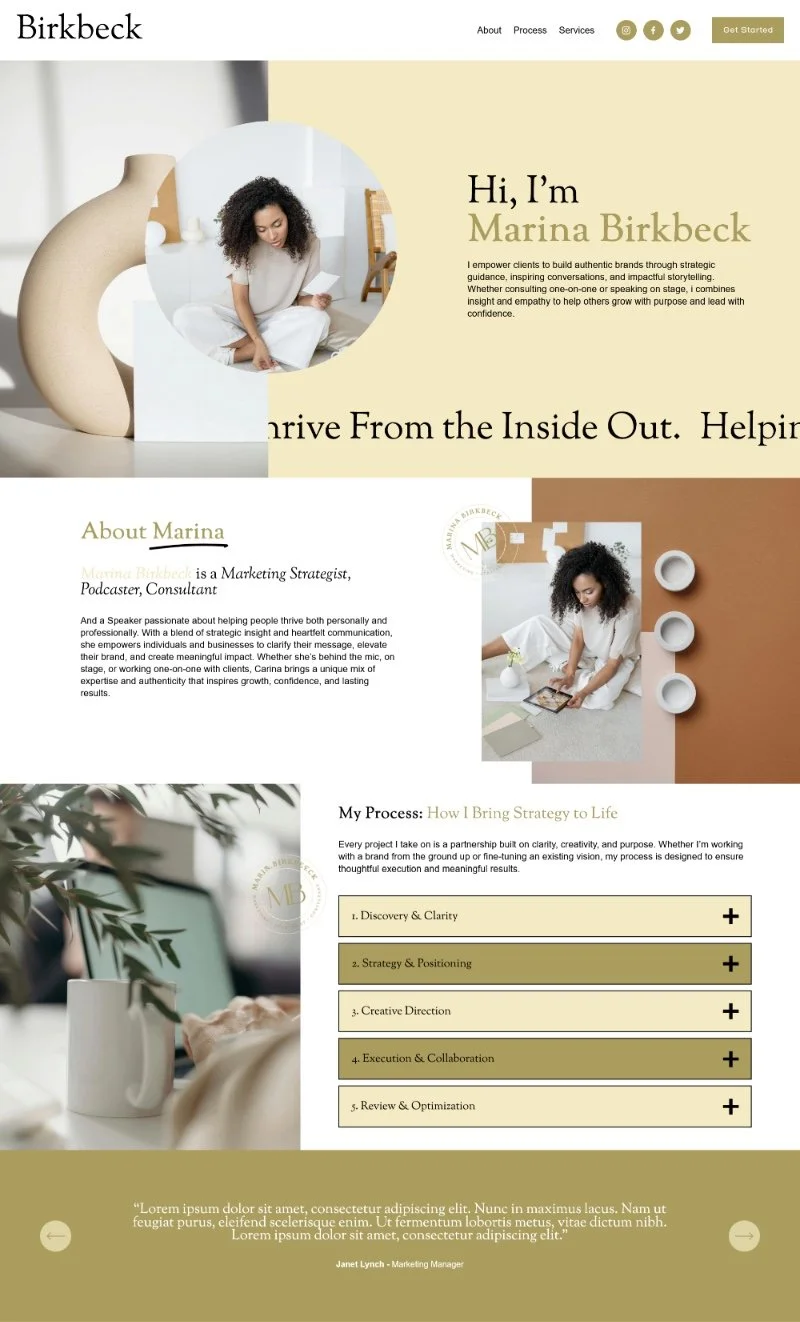
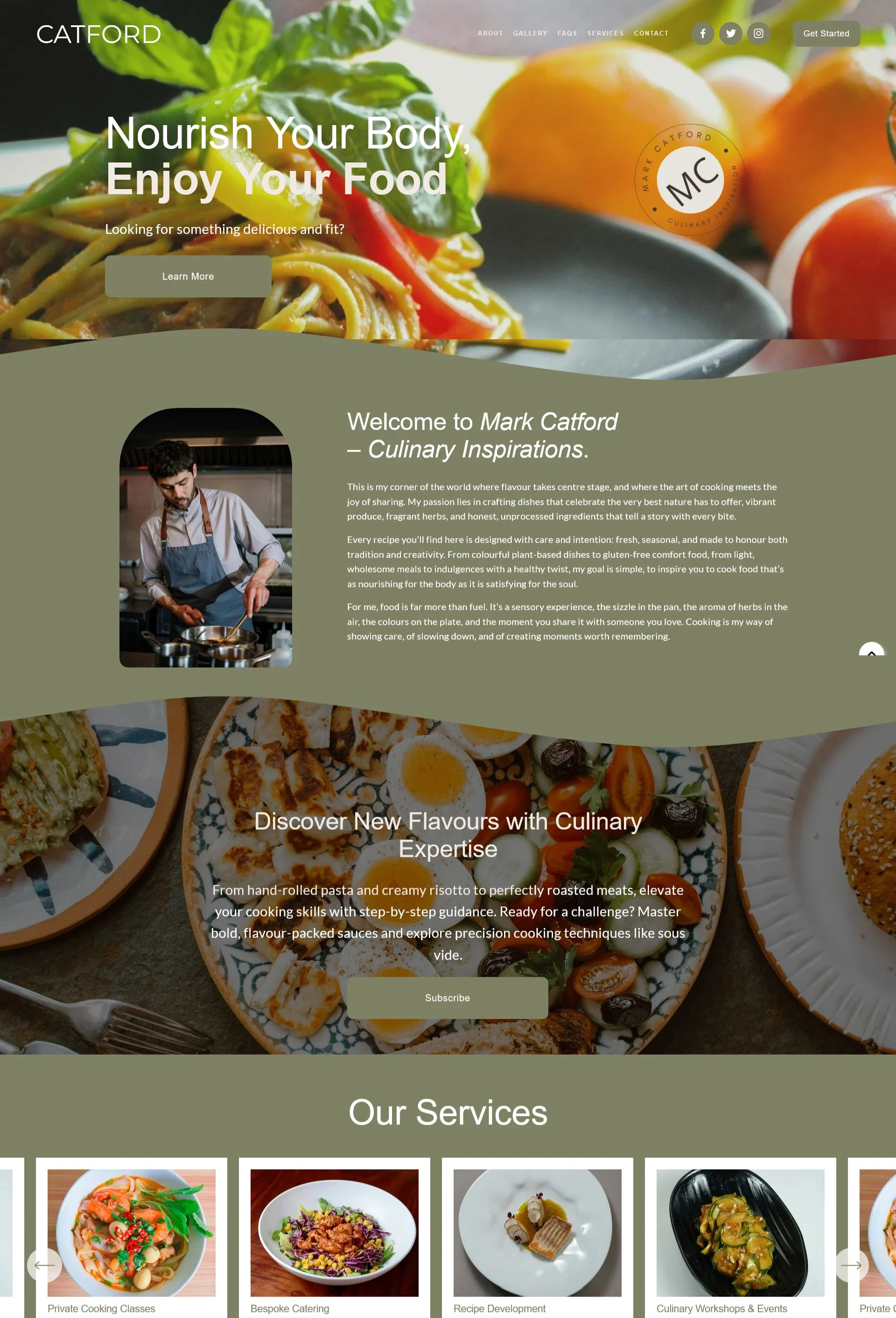
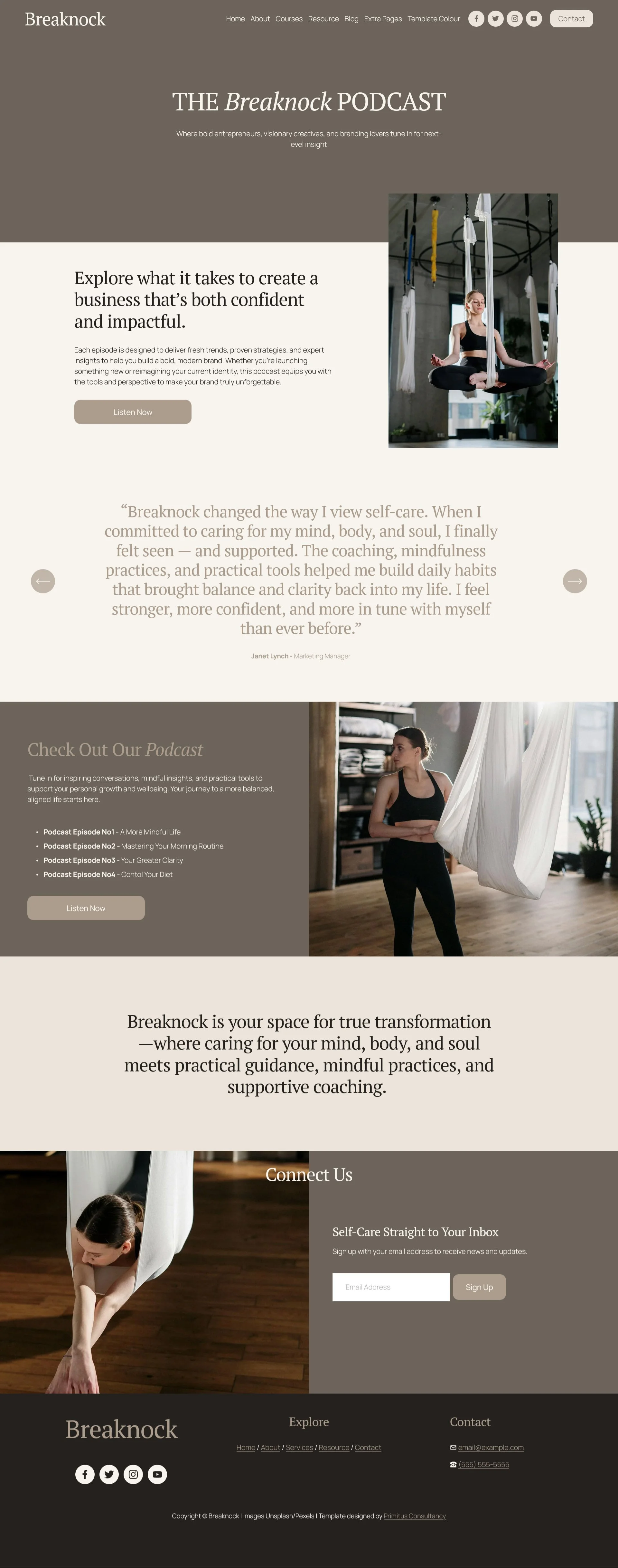
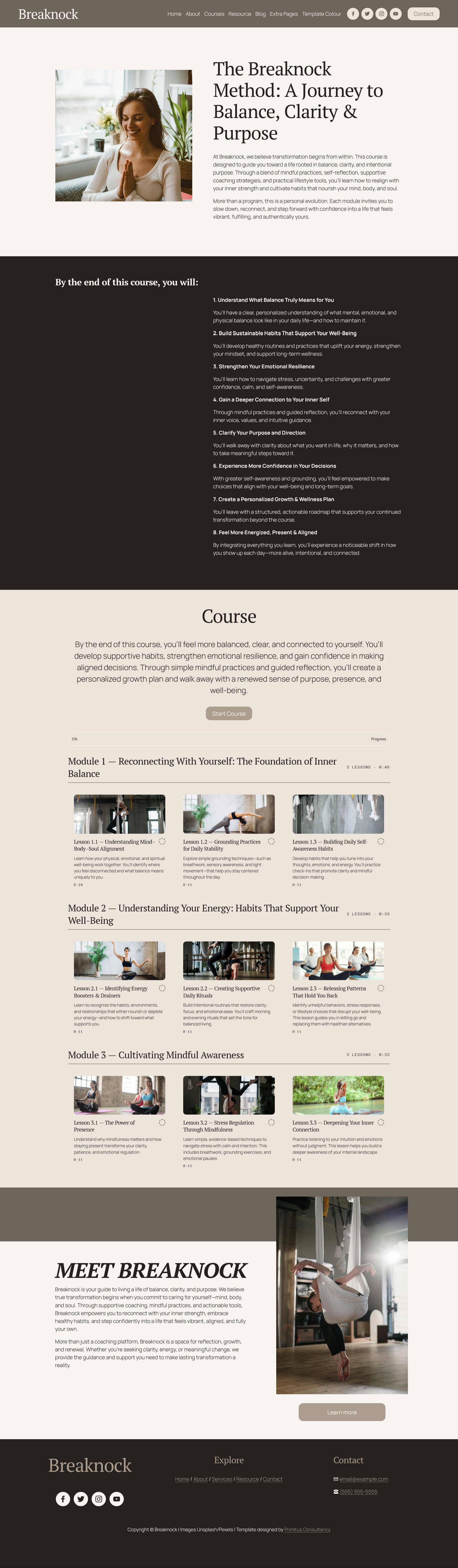
Explore some of the BREAKNOCK template pages
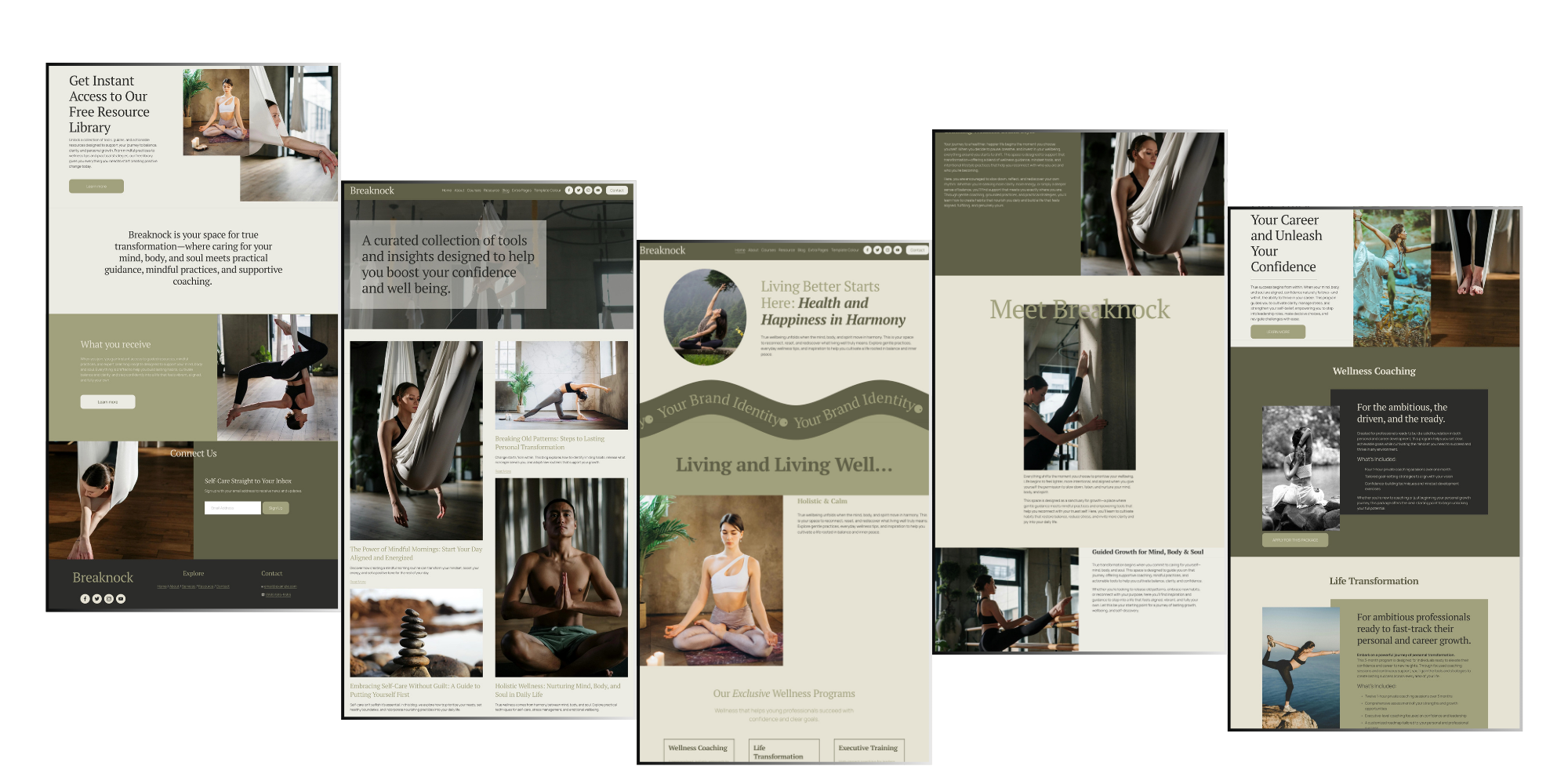
Get a feel for what your new site could look like. Each page is ready for you to customise with your own content, images, and branding.
How It Works
Getting your new site up and running is easier than you think.
Just follow these simple steps and you’ll have a professional Squarespace site up and running in no time.

Choose Your Template
Once you have chosen and purchased your template, you’ll receive an email with a link to your template tutorial videos. Look through the videos, prepare your branding and gather your content.

Access Your Template
Within 48-hours, you will receive a ‘contributors invitation’ email. Accept and log in to your Squarespace account. We can either install your template as a new site or installed into your existing site (for an additional fee).

Explore Your New Site
Your site is already styled with all the essential navigation, fonts, colours, and layouts in place. See how everything comes together.


Add Your Personality
Follow the step-by-step tutorials to swap out photos and text, and adjust colours and fonts to suit your brand.


Launch Your Website
Work through our “Final Launch Checklist”, connect your domain and hit Publish. Yay, you did it!
BREAKNOCK
ighcreations.com
Need More Clarity?
-
Squarespace is a user-friendly website building platform designed for anyone who wants to create their own site without complicated tech. Its intuitive, drag-and-drop interface makes it a favorite among DIY creators and professional designers love it just as much for its flexibility, clean structure, and powerful customization options.
-
Unlike traditional themes you might install on platforms like WordPress, Squarespace templates don’t use downloadable files. Instead, they’re pre-designed layouts built with styling rules and settings that guide the creation of a brand-new site. While Squarespace offers a range of free templates, our templates are custom designs created on the Squarespace 7.1 framework, which means they include all the same styling capabilities just elevated with a polished, strategically crafted look.
-
The good thing is, all out templates are designed with flexibility in mind so no matter which template you choose will be adaptable to your needs. Just pick a template you like and follow the video tutorials to mould it to reflect the look and feel of your business.
-
Our Squarespace templates are made for creative professionals, photographers, designers, coaches, podcasters and small service businesses who want polished, launch-ready websites without expensive custom development. Each template includes easy installation guides, video tutorials and responsive layouts so you can customise fonts, colours and images quickly and maintain your site yourself.
-
Right after checkout, you’ll receive a welcome email with a link to your private tutorial library. Within 24 - 48 hours we will send a contributor invitation to your email and once you accept, we will transfer the site rights to you.
-
Absolutely. All our templates are built with responsive design, so they automatically adjust to look great on phones, tablets and desktops without extra work on your part.
-
If you don’t have a Squarespace account yet, you’ll be prompted to sign up for a free trial when you accept our invite. If you already have an account, we can install the template directly into your dashboard. Please note, there is an additional charge for this service visit our Template Install Service page for more details.
-
While we normally set up your template as a fresh Squarespace trial site, we’re happy to apply it to your current site for a small additional fee. Just get in touch before you purchase, and we’ll take care of it.
-
Within 48 hours of purchase (often much sooner), we’ll send a contributor invite to your Squarespace account. Click “Accept,” and your new trial website will be delivered to your account. Alternatively, we can install into your existing Squarespace website, the process is outlined here.
-
First, check your spam or promotions folder. If it’s not there after a few hours, drop us a quick note and we’ll resend the link right away.
-
Not at all. You’ll customise everything; images, colours, fonts and layouts all using the Squarespace visual editor and our step-by-step tutorials. No coding required.
-
Yes. All demo pages are modular. Simply hide or delete any you don’t need. To create a new page, use the “+” icon on the Pages section to add the page type needed. Our video tutorials also will guide you on how to do this.
-
We include clear, illustrated steps in your tutorial library. You’ll paste a couple of records into your domain registrar’s dashboard, and Squarespace does the rest.
-
As soon as you hit “Publish” and point your domain, your site is live instantly. The DNS update can take up to 72 hours, but most changes propagate in under an hour..
-
You have 30 days of email support with us, plus 24/7 chat support from Squarespace. If you ever need a refresher, you can replay the tutorial videos at any time.
-
Squarespace subscriptions aren’t included with our templates. To ensure everything works smoothly, you’ll need at least the Core plan or any higher-tier plan.
-
Each template purchase is valid for one website only. If you want to use the template for multiple projects, you’ll need to purchase a separate copy for each site.
-
As this is a digital product, which is transferred to you, it cannot be refunded. If you’re unsure about anything or need clarification before buying, please contact us. We’re here to answer your questions.
You might also like
-
![An image of Heworth template]()
Heworth
-
![An image of Rage template]()
Rage
-
![An image of Birkbeck template]()
Birkbeck
-
![The image of Catford template]()
Catford
-
![The image of Alumina template]()
Alumina