Why Small Businesses Still Choose Squarespace in 2026
TLDR:
In 2026, a professional website isn't a nice-to-have, it's expected. Squarespace gives small businesses everything they need to build one fast, without hiring a developer or juggling multiple tools. You get stunning templates, built-in SEO, e-commerce, and marketing features all under one subscription. It's not the cheapest option and it won't suit every business, but for most SMEs looking to launch or level up their online presence, Squarespace is hard to beat.
Introduction
Whether you're launching a new business or finally giving that outdated website a much-needed refresh, one question always comes up: which platform should you use?
In 2026, a great online presence is no longer an option; it’s a must. Before ever reaching out, customers are already searching AI and Google, checking your website, and sizing up your business based on how it looks online. The good news? You don't need a massive budget or a web developer on speed dial to make it happen.
Squarespace has quietly become a go-to choice for growing businesses, and for good reason. In this blog, we’ll break down the honest pros and cons so you can see if it’s the perfect fit for your business.
What is Squarespace?
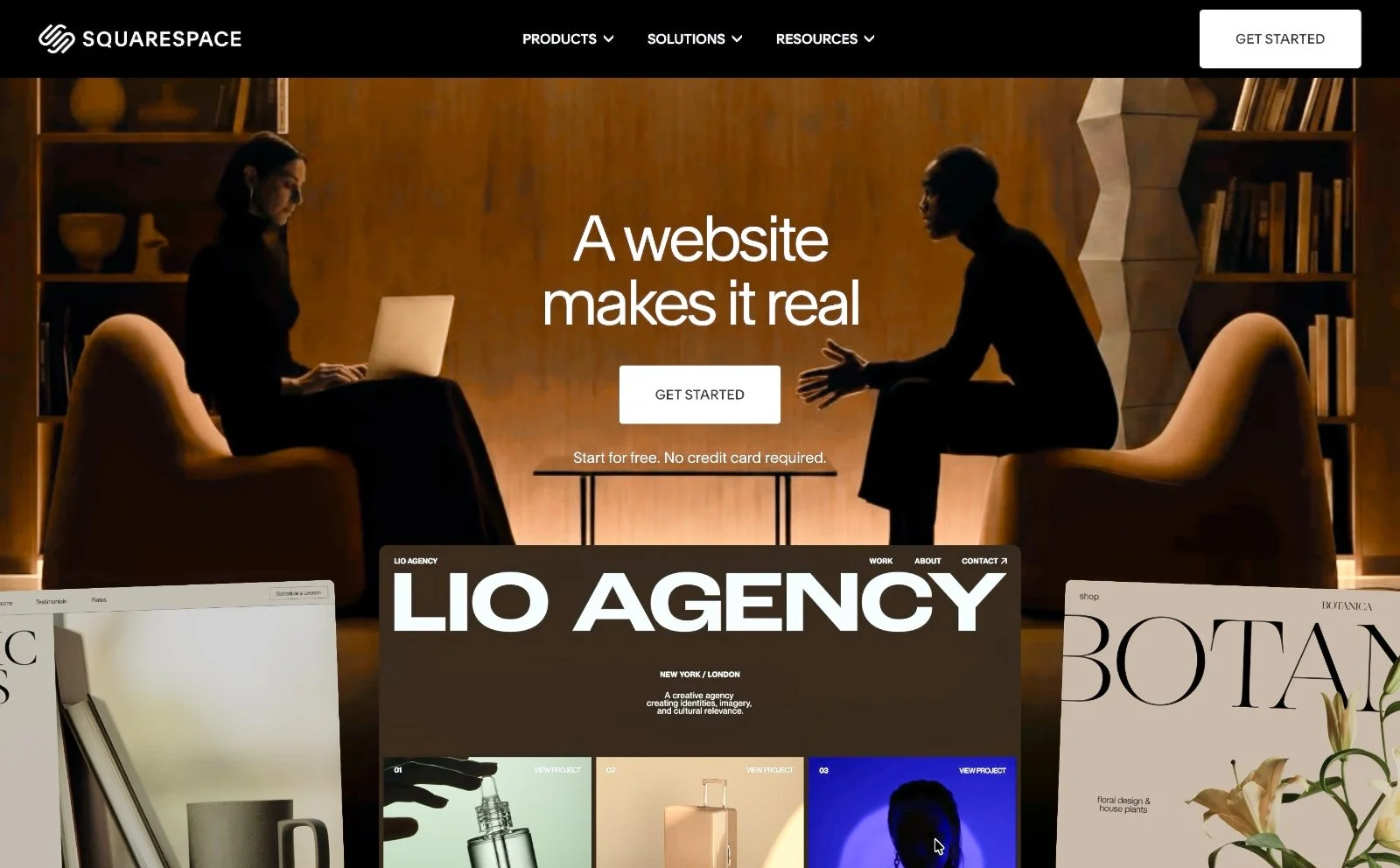
Squarespace is an all-in-one website building platform that lets you design, build, and manage a professional website without needing to write a single line of code. It bundles together website hosting, domain registration, SSL security, e-commerce tools, and marketing features all under one roof.
It sits in a perfect sweet spot. It’s more design-focused than Wix, easier to use than WordPress, and more versatile thanShopify if you sell services alongside products. For businesses wanting a professional look without the tech headache, it just works.
Key Advantages for Small Businesses
Stunning Templates That Do the Heavy Lifting
Squarespace templates are genuinely beautiful. Designed by pros, they cover almost any industry from restaurants and retail to consultants and creatives. You start with a gorgeous design and with a few customisation tweaks you’ve made it yours.
Everything Under One Roof
Hosting, domain name, SSL certificate, e-commerce, email marketing and analytics are all built in. No juggling five different subscriptions or worrying about plugin compatibility, you just get a single dashboard. This simplicity saves massive time, letting you focus on running your business instead of managing a website.
Easy to Use for Non-techies
The drag-and-drop editor is so intuitive most people can build a great site over a weekend. And with Squarespace’s new AI builder you can instantly generate a starter site from a few simple prompts. Whether it’s a new website or refresh, the learning curve is minimal.
Built-In SEO Tools
While it’s not quite as customisable as WordPress, it covers everything most growing businesses need. Giving you full control over title tags, meta descriptions, and clean URLs on every page while Squarespace handles the technical SEO groundwork behind the scenes.
E-Commerce That Actually Works
You can sell physical and digital products, services, and subscriptions. The checkout process is clean and mobile-friendly, integrating with payment processors like Stripe and PayPal. For a small retailer, or solopreneur photographer selling presets, or educator selling online courses, Squarespace handles it well.
Automatic Mobile-Optimisation
Every Squarespace template is automatically responsive. Your site will look great on a phone, tablet, or desktop without you having to do anything extra.
Integrated Marketing Tools
Built-in email campaigns, social media integrations, and the ability to run promotional pop-ups and announcement bars mean you don't need a separate email marketing tool to get started.
Growing Your Site as Your Business Scales
Squarespace grows as your business grows. You can start on a basic plan and upgrade as your needs change. Adding new site pages, blog posts, products or appointment scheduling feature like Squarespace’s Acuity is straightforward. The Squarespace extensions marketplace allows you to connect various third-party tools for accounting, shipping and fulfilment, inventory and products and others. You can also connect easy-to-install third party plugins from IGH Creations own Plugin Store or other Squarespace plugin providers.
The plan structure is logical:
Basic is great for portfolio or brochure-style sites and small online stores
Core adds more marketing tools and e-commerce functionality
Advanced Commerce are for businesses with more serious selling needs
You're not locked in, and upgrading takes a couple of clicks.
Disadvantages to Consider
No platform is perfect, and Squarespace is no exception. Here's where it falls short:
Monthly costs add up. Unlike WordPress.org (which is free software), Squarespace is a paid subscription. It's reasonable, but it's an ongoing cost.
Limited design flexibility. If you have a very specific custom vision or need complex functionality, Squarespace will eventually hit a wall. Developers can add custom code, but it's not as open as WordPress.
Transaction fees on lower plans. The Basic plan charges a 2% transaction fee on sales. You’ll need to upgrade to a higher tier plan to lower or remove fees.
Not ideal for large e-commerce stores. If you're planning to scale to thousands of SKUs or need very advanced inventory management, platforms like Shopify might be a better long-term fit.
For more details on Squarespace pricing and subscription plans go to Squarespace.com/pricing.
Is Squarespace Right for You?
Ask yourself these questions:
Do you want a professional-looking site without hiring a designer?
Is ease of use more important than total customisation?
Are you selling products, services, or digital downloads (or planning to)?
Do you want hosting, security, and marketing tools bundled together?
Is your budget in the range of $20 to $50 per month?
If you answered yes to most of those, Squarespace is probably a very good fit. If you're a developer who wants full control, or you're running a large-scale online store, you might want to weigh up WordPress or Shopify instead.
Frequently Asked Questions
Q. Can I move my existing website to Squarespace?
Yes, though it's not a one-click migration. You'll typically need to rebuild your pages using Squarespace's editor, but you can import blog posts from platforms like WordPress. Many business owners treat the switch as a good opportunity to refresh their content and branding at the same time.
Q. Do I need to know how to code to use Squarespace?
Not at all. The platform is designed for non-technical users, and you can build a fully functional, great-looking website without touching any code. If you do want to customise beyond the built-in options, you can add custom CSS or JavaScript, but it's completely optional.
Q. Is Squarespace good for SEO?
It handles the SEO basics really well, which covers the needs of most small businesses. You get control over meta titles, descriptions, image alt text, clean URLs, and automatic sitemaps. For more advanced SEO strategies you may want to supplement with third-party tools, but the built-in features are solid.
Q. What happens if I want to leave Squarespace later?
You can export your content (blog posts, pages, and some product data) if you decide to move on. It's not as portable as a self-hosted WordPress site, so it's worth factoring that in if long-term flexibility is a priority for your business.
Q. Can I sell on Squarespace with a basic plan?
Yes. The Basic plan includes e-commerce functionality that allows you to sell unlimited physical products and services. Keep in mind this plan charges a 2% transaction fee. If selling online is central to your business, and you want to eliminate these fees, you may want to look at one of the higher tier plans.
Final Thoughts
For many small businesses, Squarespace delivers exactly what it promises: a beautiful, functional, and manageable website that you can launch quickly and grow over time. The templates alone are worth it for businesses that don't have a design budget. The all-in-one nature of the platform means fewer moving parts and less stress.
If you haven't tried it yet, Squarespace offers a free trial so you can build and explore before committing to a plan. There's really no reason not to take it for a spin.
Found this helpful or want to know more? Contact us here and share this with a fellow Squarespace user who's just getting started!